

Scan & wizard
Quick scan for recent deletes; Deep Scan when names or folders are gone; slower, reads more of the disk for file signatures.
Photo slot: images/program/scan-wizard.jpg
Visual tour
Main window screenshot below, then four areas of the app. Drop your own captures as JPG or PNG into images/program/ (see filenames in each card caption) to replace the icons. Optional animated GIF: images/gif/recuva-ui.gif.
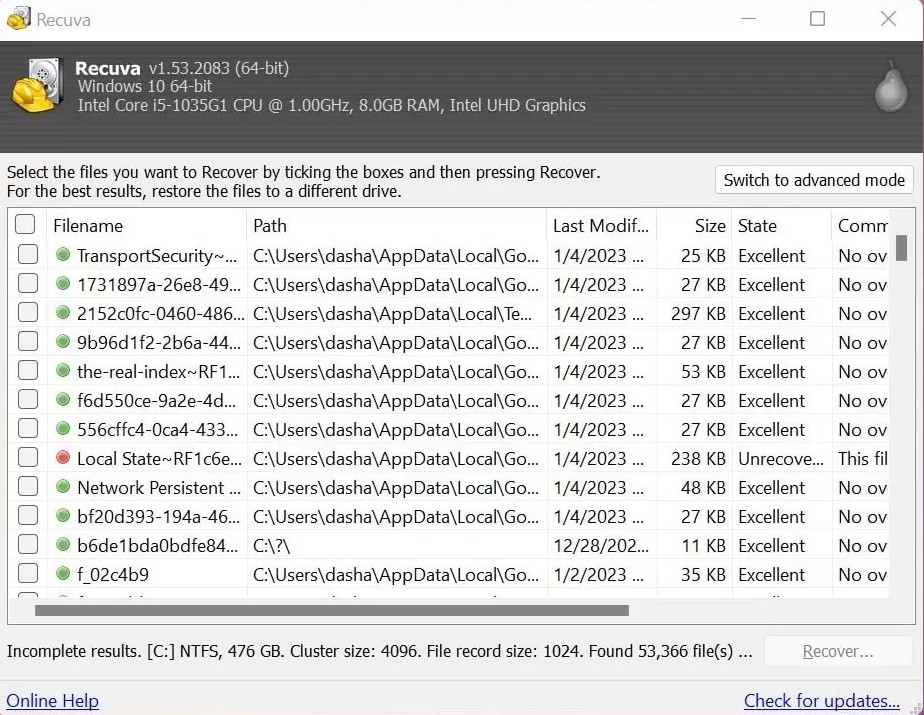
Quick scan for recent deletes; Deep Scan when names or folders are gone; slower, reads more of the disk for file signatures.
Photo slot: images/program/scan-wizard.jpg

Photos, documents, video, and more, if clusters are still there. After scan, pick items and recover to another drive than the one you scanned.
Photo slot: images/program/file-list.jpg

Run from USB when you shouldn’t install on a sick PC; useful before imaging a failing disk.
Photo slot: images/program/portable.jpg

Overwrite sensitive leftovers when you want files gone for good, not recovered.
Photo slot: images/program/secure-delete.jpg