
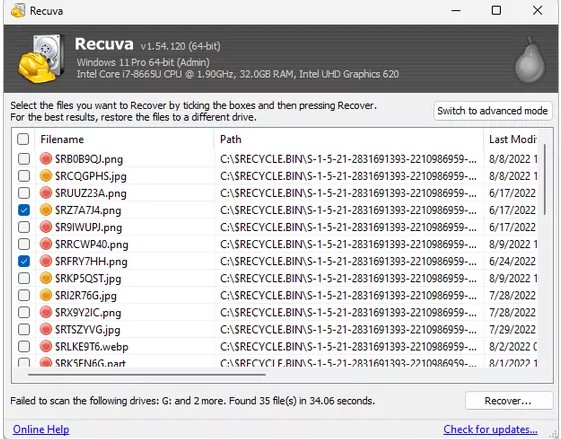
Files that land in the Recycle Bin still have directory entries pointing at their clusters until you empty the bin or the space is reused. That is why a normal scan often works soon after a “soft” delete.
Shift+Delete and “permanent” deletes skip the bin; the OS may free those clusters immediately from the file system’s point of view. On SSDs with TRIM, the window can be short. On mechanical disks, you still need to avoid overwriting the same area.
If the easy pass finds nothing
- Confirm you scanned the volume where the file lived, not another disk with the same size label.
- Run Deep Scan once you have a stable destination disk selected for recovery.
- Match expectations to hardware: TRIM and heavy background writes hurt classic undelete on fast SSDs.
More: FAQ on Recycle Bin wording and How it works: flow.